How I Built a Local RAG System to Query NTSB Aviation Accident Reports | NanoTechBytes | NanoTechBytes
How I Built a Local RAG System to Query NTSB Aviation Accident Reports
MjShetty
•
8 min read
•October 16, 2026
Before reading this, if you're new to RAG, I'd recommend starting with my earlier post RAG: Give Your AI a Better Memory which covers the concept, the core loop, and why RAG beats fine-tuning for most real world use cases. This post is the hands on sequel: here's how I actually built one, end to end, locally, with real data.
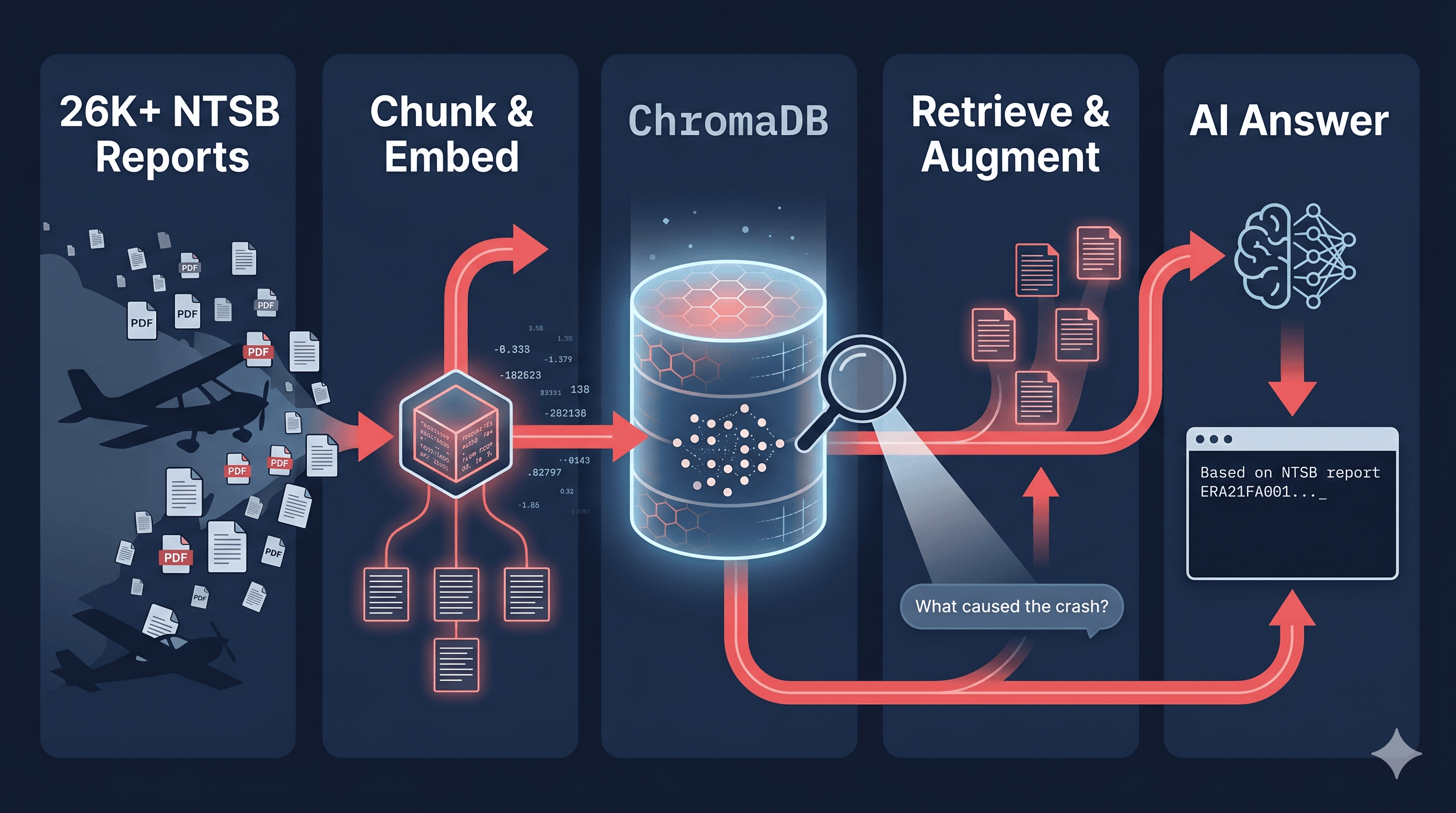
The NTSB (National Transportation Safety Board) publishes detailed investigation reports for every civil aviation accident in the US. There's a public database with 50k Plus records from 1981 . But for my work I extracted around 26,000+ records going back to 2010. The data has 36 columns: location, aircraft, injuries, weather conditions, probable cause and a full narrative PDF for each completed investigation. I wanted to ask natural questions like: - "What caused most fatal accidents in Alaska in IMC conditions?"
- "What patterns appear in Cessna crashes during landing?"
- "Show me engine failure cases where the probable cause involved carburetor ice" No existing tool lets you do this. So I built one.
Everything runs locally. No cloud. No paid vector database. The only API calls are to Gemini (for embeddings — free tier) and optionally Claude/Gemini (for generating answers).
ProjectStructure
bash
NTSB Website
    │
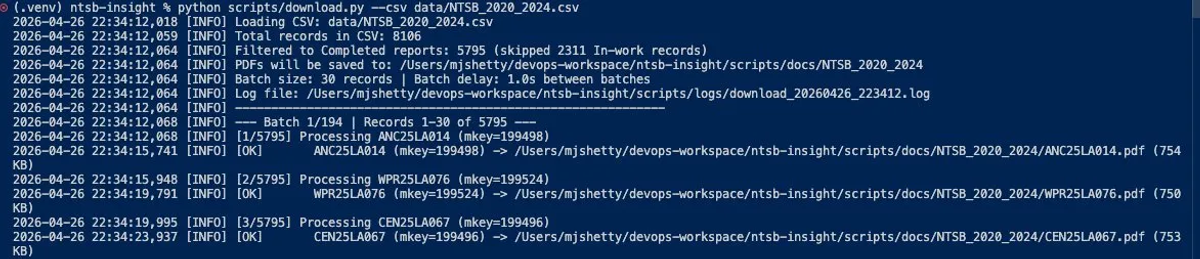
    ├── scripts/download.py    → Downloads ~1,000 PDFs via public API
    ├── scripts/split_csv.py   → Splits 26K-row CSV into 5-year bands
    │
    └── pipeline/
        ├── ingest.py          → PDF → text → section chunks → JSONL
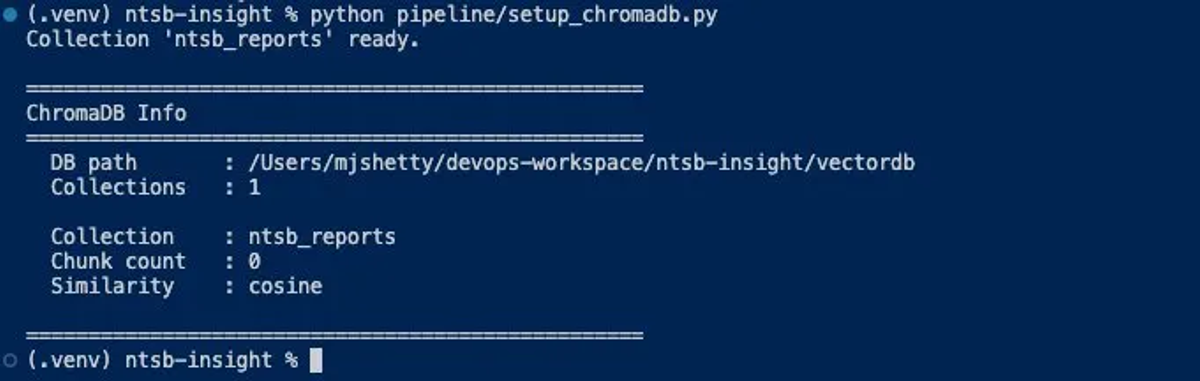
        ├── setup_chromadb.py  → Creates local vector database
        ├── embed_and_store.py → JSONL → Gemini embeddings → ChromaDB
        └── query.py           → Your question → ChromaDB → AI answer
If you found this helpful, please like and share to support the content!
4 views
Share:
Comments (0)
Leave a comment
About MjShetty
Always curious to understand the concept, learning by breaking and fixing, and passionate about sharing knowledge with the community.Get in touch with me→
NTSB provides a CSV export from their query page. I downloaded all records from 2010–2026: 26,872 rows, 36 columns. Each row has a `NtsbNo` (the report identifier, e.g. `ERA21FA001`) and an `Mkey` (a numeric ID used by their API). I split the full CSV into 5-year bands to make processing manageable: NTSB_2010_2014.csv → 8,539 records
NTSB_2015_2019.csv → 8,191 records
NTSB_2020_2024.csv → 8,106 records
NTSB_2025_2026.csv → 2,036 records
Why split? So I could build and test the pipeline on one band (2020–2024) before scaling to all years.
This is where the real thinking happens. A naive approach would be to split each PDF every 512 tokens. I didn't do that. Why section-aware chunking? An NTSB report has predictable sections: History of Flight, Pilot Information, Meteorological Information, Analysis, Probable Cause and Findings. If you chunk blindly at fixed sizes, you get a chunk that says "the pilot failed to..." with no context about who the pilot was or which accident this is. A section-aware chunk is semantically complete on its own. Here's how I detect sections just regex matching against known headers:
Source Code
python
SECTION_PATTERNS =[(re.compile(r'Analysis', re.IGNORECASE),'Analysis'),(re.compile(r'Probable Cause and Findings', re.IGNORECASE),'Probable Cause and Findings'),(re.compile(r'History of (the )?Flight', re.IGNORECASE),'History of Flight'),(re.compile(r'Pilot Information', re.IGNORECASE),'Pilot Information'),(re.compile(r'Meteorological Information', re.IGNORECASE),'Meteorological Information'),(re.compile(r'Wreckage and Impact Information', re.IGNORECASE),'Wreckage and Impact Information'),# ... more patterns]SKIP_SECTIONS ={'Administrative Information'}
The section splitter walks the PDF line by line. When it hits a header line, it saves the previous section and starts a new one
Ingest_data
python
defsplit_into_sections(full_text:str)->list[tuple[str,str]]: lines = full_text.split('\n') sections =[] current_section ='Header' current_lines =[]for line in lines: stripped = line.strip() matched_section =Nonefor pattern, label in SECTION_PATTERNS:if pattern.fullmatch(stripped)or(len(stripped)<60and pattern.search(stripped)): matched_section = label
breakif matched_section:if current_lines: sections.append((current_section,'\n'.join(current_lines).strip())) current_section = matched_section
current_lines =[]else: current_lines.append(line)if current_lines: sections.append((current_section,'\n'.join(current_lines).strip()))return[(name, text)for name, text in sections
if text and name notin SKIP_SECTIONS andlen(text.strip())>50]
For long sections (>4,000 chars), I split further with 400-char overlap. so context carries across sub-chunk boundaries.
The metadata strategy Every chunk gets 29 fields of metadata from the CSV attached to it. This is the critical design decision:
chunks-append
python
chunks.append({'id':f"{ntsb_no}_chunk_{chunk_index}",'ntsb_no': ntsb_no,'text': sub_text,'metadata':{'ntsb_no': ntsb_no,# JOIN key back to CSV'section': section_name,# which section this chunk is from'event_date':str(meta.get('EventDate','')),'state': meta.get('State'),'make': meta.get('Make'),'model': meta.get('Model'),'injury_severity': meta.get('HighestInjuryLevel'),'fatal_count': meta.get('FatalInjuryCount'),'weather': meta.get('WeatherCondition'),'probable_cause': meta.get('ProbableCause'),# ... 20 more fields}})
Think of `NtsbNo` as a foreign key in a database. Every chunk links back to its report: ERA21FA001_chunk_0 ─ntsb_no ─► CSV row (36 columns) ─► ERA21FA001.pdf
ERA21FA001_chunk_1 ─► (same report)
ERA21FA001_chunk_2 ─► (same report) The metadata is not embedded into the chunk text that would waste embedding dimensions on ID strings. It's stored separately as filterable fields in the vector database. Output is a JSONL file one chunk per line, ready for the next stage:
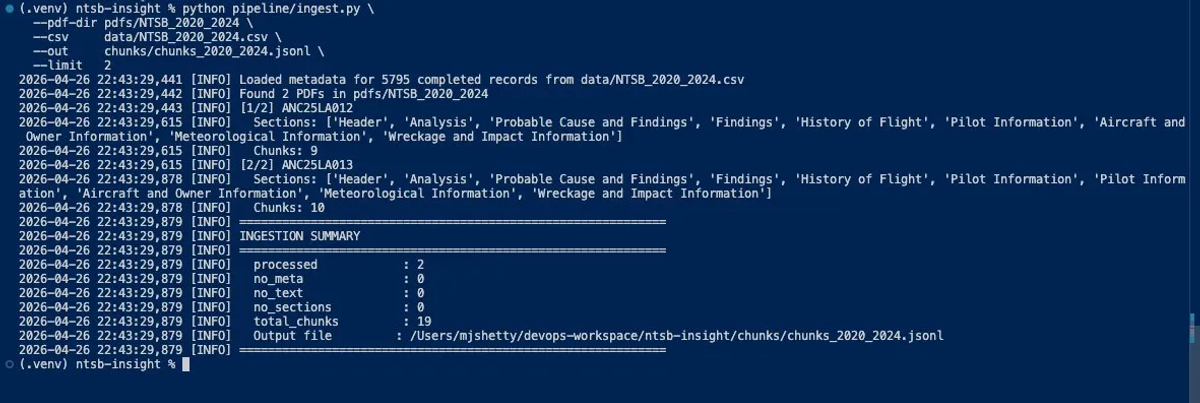
Ingest-command
python
python pipeline/ingest.py \
--pdf-dir pdfs/NTSB_2020_2024 \
--csv data/NTSB_2020_2024.csv \
--out chunks/chunks_2020_2024.jsonl \
--limit 10# test with 10 first
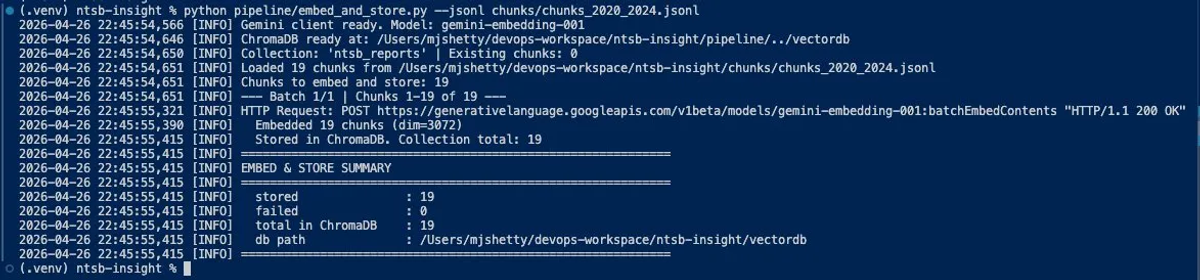
Result from my test run: 2 PDFs → 19 chunks, avg ~10 chunks per report, all sections detected correctly.
This stage reads the JSONL, calls Gemini to convert each chunk's text into a vector, and upserts into ChromaDB.
Source Code
python
EMBED_MODEL ='gemini-embedding-001'# 3072 dimensions, free tierBATCH_SIZE = 100# Gemini supports up to 100 texts per batchdefembed_batch(client, texts): response = client.models.embed_content(model=EMBED_MODEL,contents=texts,config=types.EmbedContentConfig(task_type='RETRIEVAL_DOCUMENT')# key detail )return [e.values for e in response.embeddings]
Notice `task_type='RETRIEVAL_DOCUMENT'`. This matters — more on it in a moment.
Then upsert into ChromaDB with metadata:
Source Code
python
col.upsert(ids = ids,embeddings = embeddings,documents = texts,metadatas = metadatas)**One gotcha:** ChromaDB only accepts `str`, `int`, `float`,or `bool` in metadata — no `None`, no `NaN`. I added a sanitization step:defsanitize_metadata(meta:dict)->dict: clean ={}for k, v in meta.items():if v isNone: clean[k]=''elifisinstance(v,float)and v != v:# NaN check clean[k] = ''elifisinstance(v, (str, int, float, bool)): clean[k] = velse: clean[k] = str(v)return cleanThe script also has resume support it checks which chunk IDs already exist in ChromaDB and skips them:existing = col.get(include=[])# fetch only IDsexisting_ids = set(existing['ids'])new_chunks = [c for c in all_chunks if c['id'] notin existing_ids]
Result: 19 chunks embedded and stored in 1.3 seconds, zero failures.
Here's something that trips people up. Queries and documents are linguistically very different: Query : "What causes engine failure in Cessna?" ← short, question-form
Document : "The carburetor venturi was blocked by ← long, technical narrative ice accumulation at altitude..."
If you embed both with the same "neutral" embedding, they land far apart in vector space even though they're directly related. The query uses everyday language, the document uses NTSB vocabulary. Gemini's embedding model solves this with a `task_type` parameter:
These two task types are trained to align. The model maps "pilot made a mistake" to match NTSB language like "pilot's failure to maintain altitude" and "inadequate preflight planning."
Source Code
python
At ingest (embed_and_store.py)config=types.EmbedContentConfig(task_type='RETRIEVAL_DOCUMENT')# At query time (query.py)config=types.EmbedContentConfig(task_type='RETRIEVAL_QUERY')
Metadata Pre-filtering Before the vector search runs, I can apply filters using ChromaDB's where clause. This is hybrid retrieval narrow the search space with structured data first, then run semantic search within that subset:
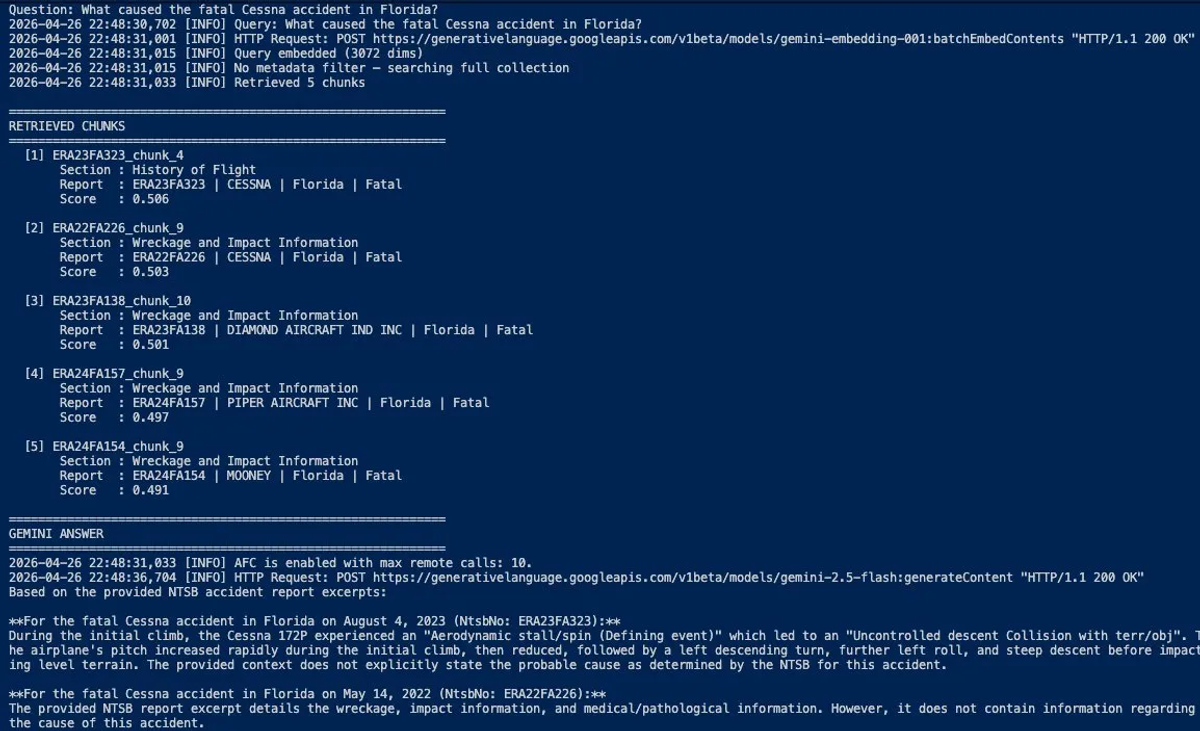
So a query like "What caused the Cessna crash in Florida in 2021?" becomes: 1.Metadata filter:`state=Florida AND make=CESSNA`
2.Vector search: finds Analysis + Probable Cause chunks most similar to the question
3.LLM answer:"Based on NTSB report ERA21FA001, the probable cause was..."
Source Code
bash
# Simple querypythonpipeline/query.py--query"What caused the fatal accident in Alaska?"# With metadata filterspythonpipeline/query.py--query"engine failure"--injuryFatal--stateAlaska--makeCessna
# Interactive modepythonpipeline/query.py--interactive
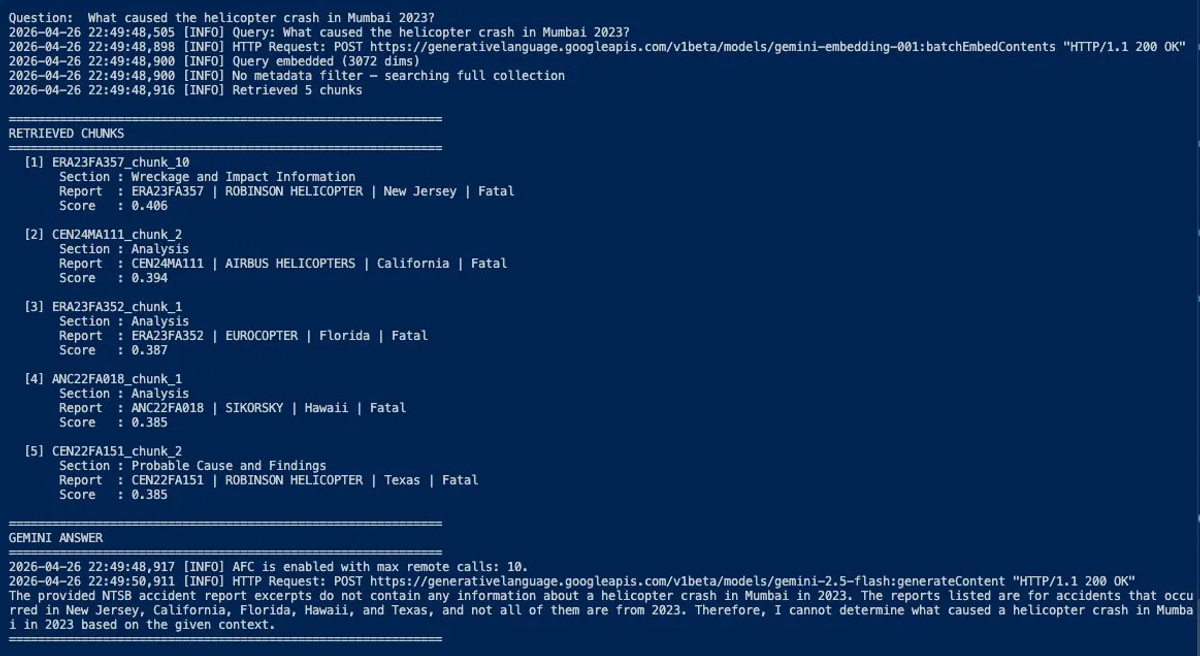
What about questions outside the dataset? The system handles it gracefully. When I asked about a helicopter crash in Mumbai (which doesn't exist in the NTSB database since it only covers US civil aviation), the retriever returned the closest helicopter-related chunks it could find but with low similarity scores (~0.40). Gemini correctly identified that no relevant data was available and declined to fabricate an answer.
1. Section-aware chunking preserves context. Each chunk is a complete, meaningful unit. "The pilot" in chunk 3 refers to someone described in the same chunk, not page 1 of a different document. 2. Metadata is the filter layer, not the embedding layer.`NtsbNo`, state, make, weather — these are stored as structured fields for precise filtering. The embedding captures only semantic meaning. This is the difference between finding *relevant* chunks and finding the *right* chunks. 3. Asymmetric task types close the vocabulary gap. NTSB reports use formal investigation language. Human questions use plain English. Using `RETRIEVAL_QUERY` at query time and `RETRIEVAL_DOCUMENT` at ingest time lets the embedding model bridge that gap automatically.
The full source code is on GitHub: [NTSB-Insight-RAG] Like this post? Share it with someone building AI tools on real data.